
How to set partner program goals in CoPort
Updated · 6 steps
Chapters
To set a program goal in CoPort, open Settings > Goals, click Add Goal, name the goal, pick a measure and a target, choose a category, dates and status, and click Create Goal. The goal appears as a card on the Partner Program Goals page that shows its target, its period and how far along you are.
Steps
1. Open Settings, then Goals
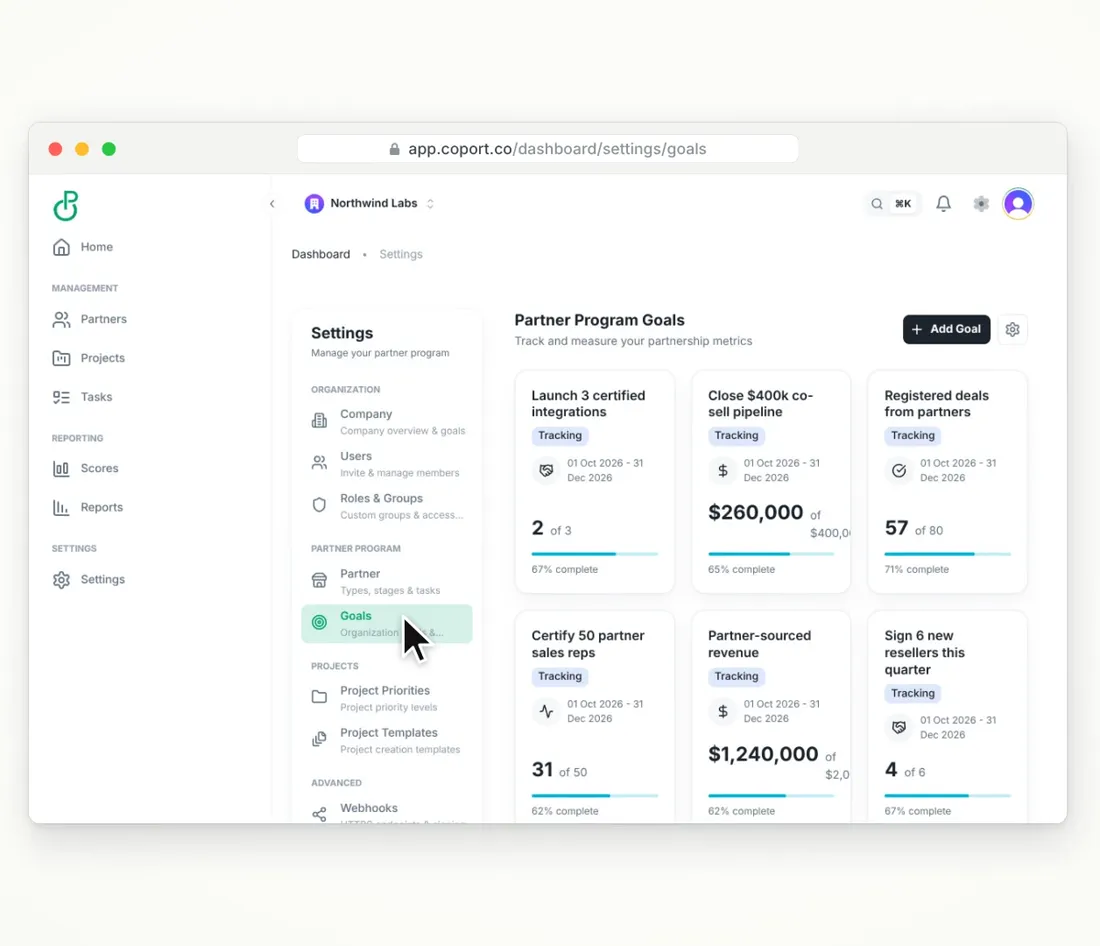
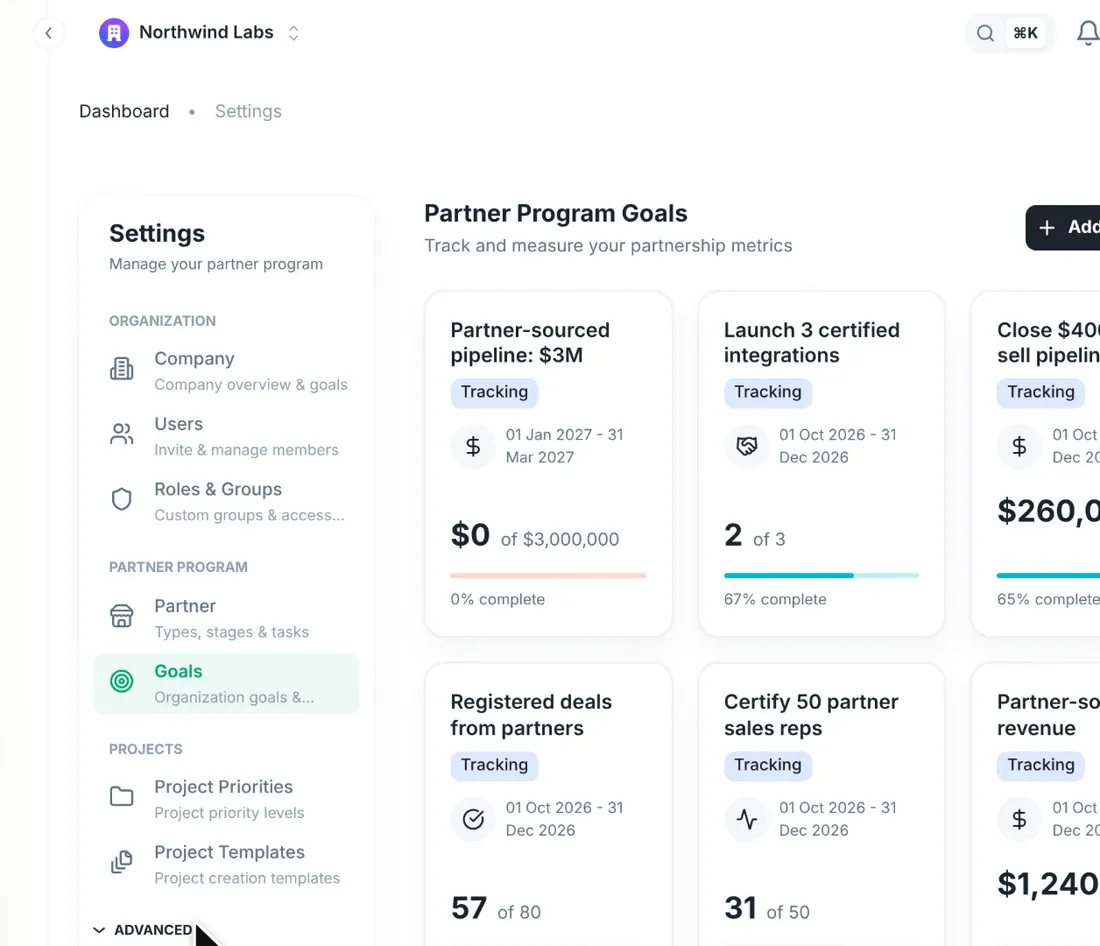
Click Settings in the left sidebar. In the Partner Program group, click Goals. The Partner Program Goals page shows a card for each goal, with the tagline "Track and measure your partnership metrics".
2. Add a goal
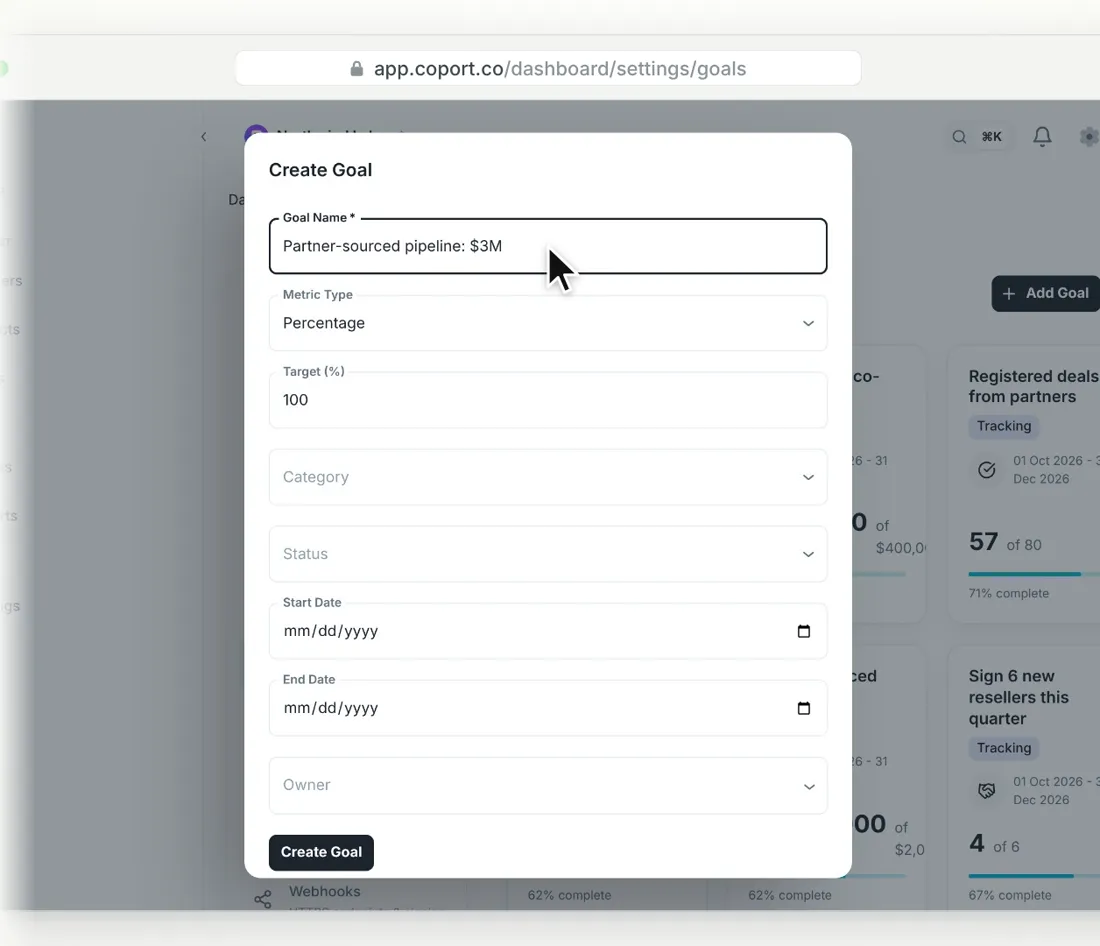
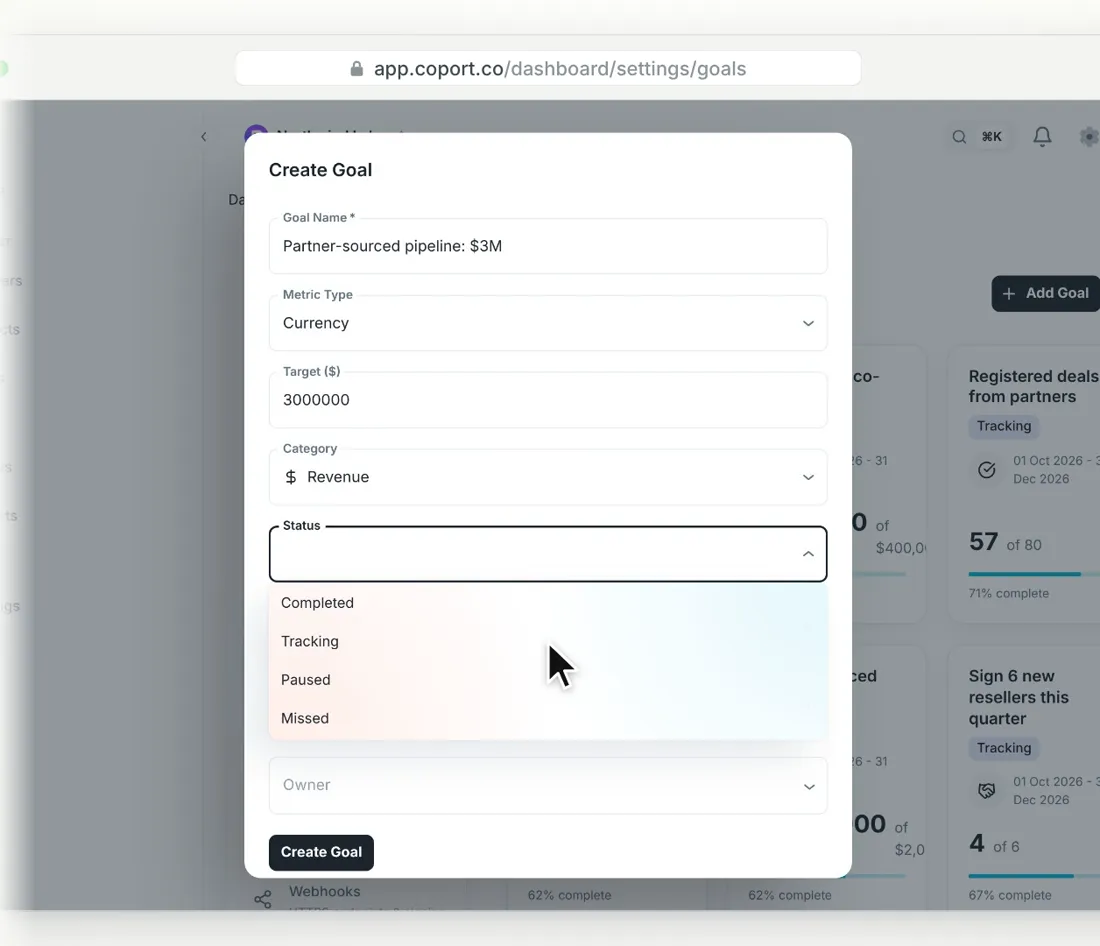
Click Add Goal. In the Create Goal dialog, enter a Goal Name. Name it the way your team talks about it. The example is "Partner-sourced pipeline: $3M".
3. Pick a measure and a target
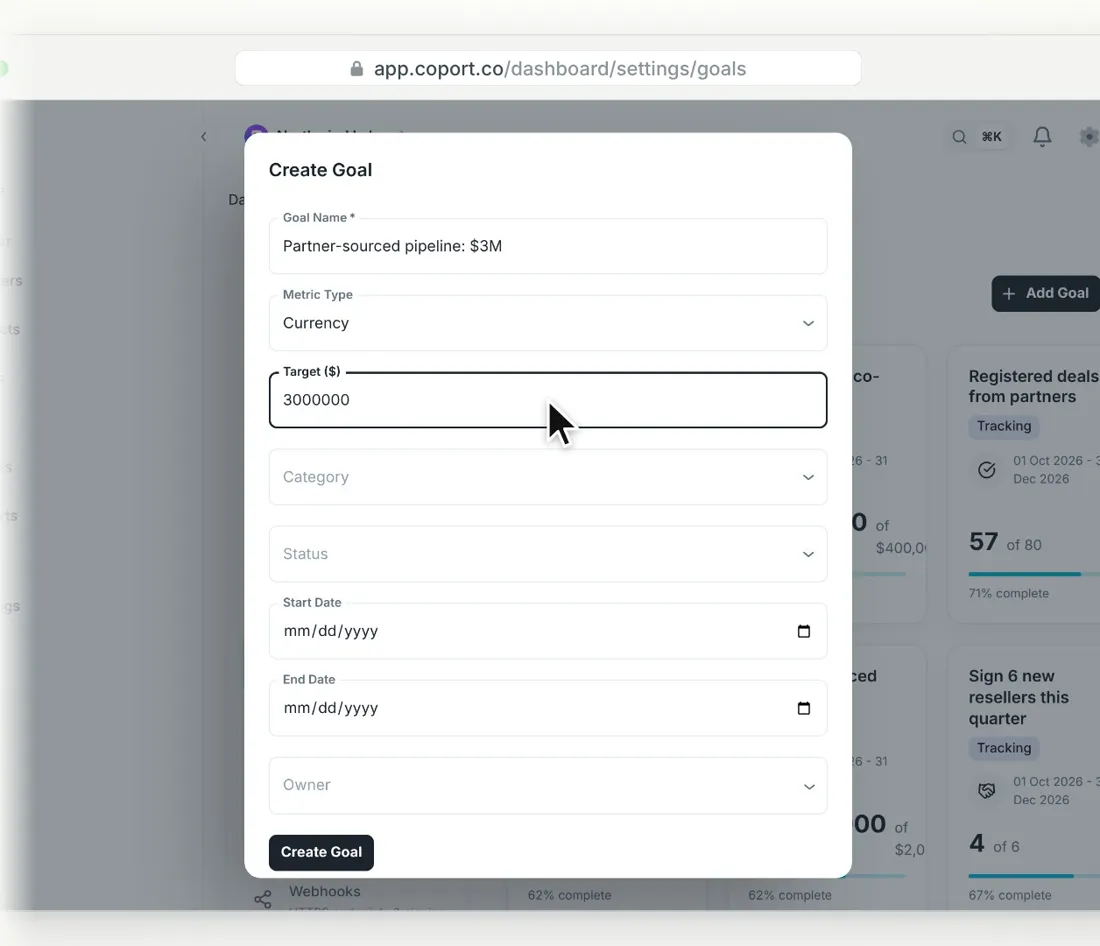
Open Metric Type and choose how the goal is measured: Percentage, Numeric, Currency or Yes / No. Then enter the Target. In the example the metric type is Currency and the target is 3000000.
4. Choose a category, dates and status
Pick a Category to group the goal: Leads, Signed Partners, Opportunities, Revenue, Deals Closed or Activities. Choose a Status (Completed, Tracking, Paused or Missed), then set a Start Date and an End Date. You can also pick an Owner for the goal. The dates set the period. The example uses Revenue, 01/01/2027 to 03/31/2027.
5. Create it
Click Create Goal. The new goal appears as a card on the Partner Program Goals page. Progress shows on the goal's card.
6. Track progress all quarter
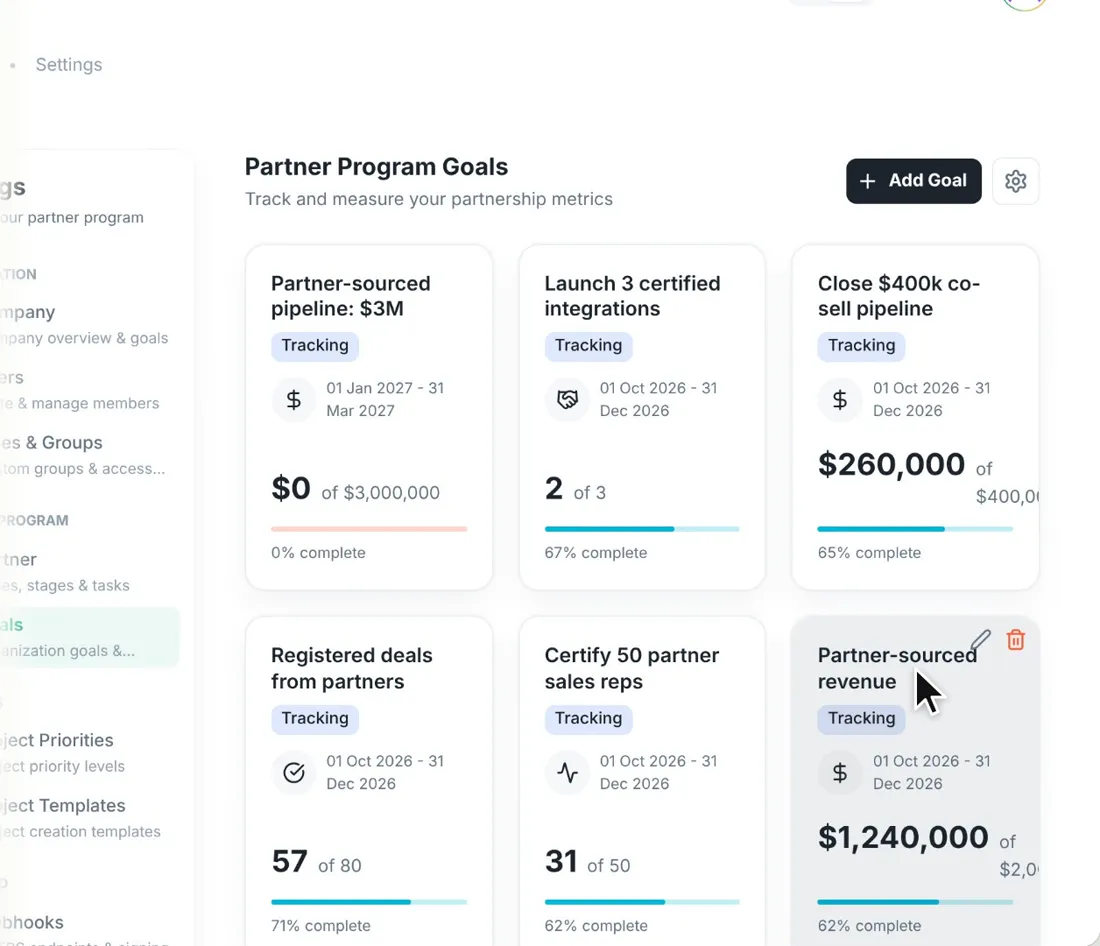
Come back to Settings > Goals any time. Each card shows the target, the period and how far along you are, for example "$260,000 of $400,000" with a percentage complete.
What you should see
A new card on the Partner Program Goals page with your goal's name, its target, its period and a progress indicator.
Frequently asked questions
What kinds of goals can I create in CoPort?
You choose a metric type of Percentage, Numeric, Currency or Yes / No, then set a target. Goals can be grouped into categories such as Leads, Signed Partners, Opportunities, Revenue, Deals Closed or Activities.
Where do I see progress on my program goals?
On the Partner Program Goals page under Settings > Goals. Each goal card shows the target, the period and how far along you are.
What statuses can a goal have?
Completed, Tracking, Paused or Missed.
Using an AI assistant? This guide is available as plain Markdown at /docs/set-goals-for-your-program.md, and every guide is indexed at /llms.txt.