

How to build a partner onboarding template in CoPort
Updated · 5 steps
Chapters
A CoPort project template is a reusable project: its tasks and their timing. To build one, open Settings > Project Templates, open a template, click Add Task, name the task and set when it is due, counted from the project's start. Each project you create from the template gets those tasks and due dates.
Steps
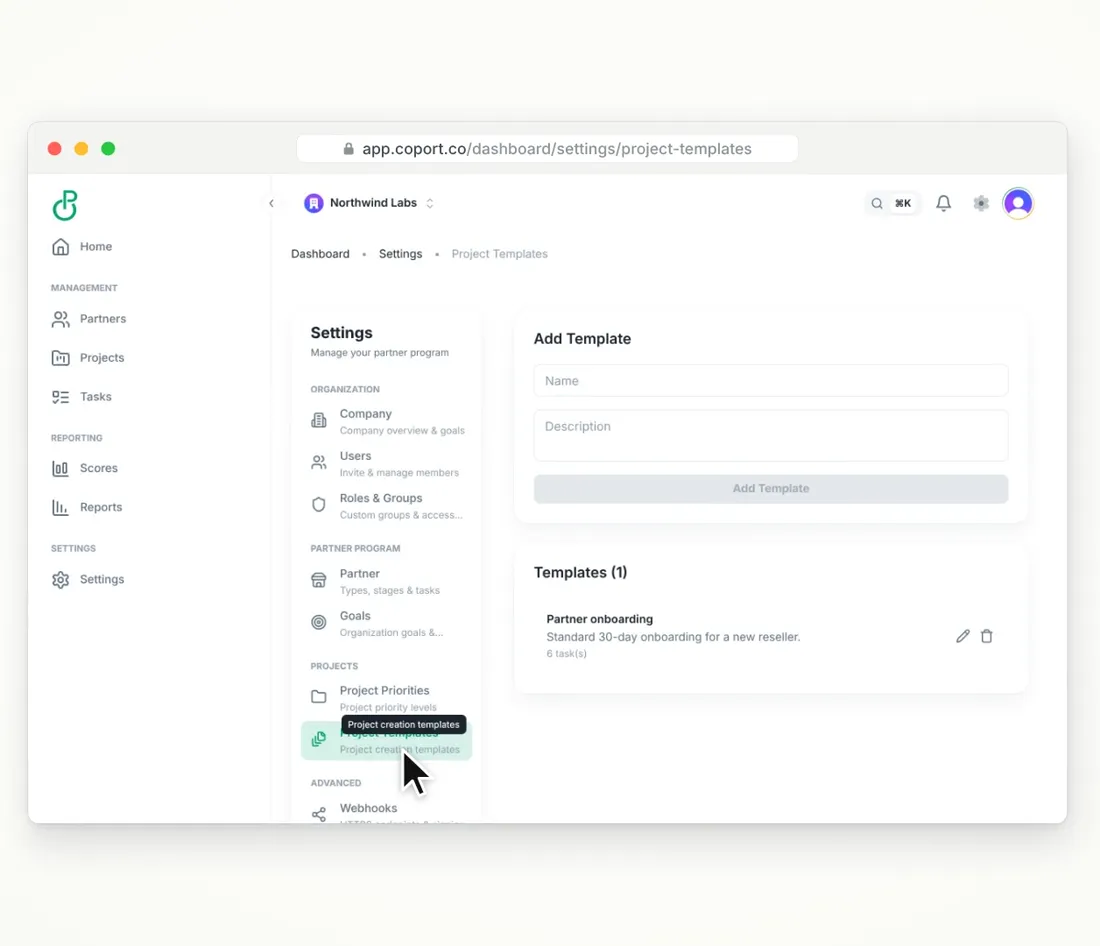
1. Open Settings, then Project templates
Click Settings in the left sidebar. In the Projects group, click Project Templates (project creation templates). The page has an Add Template form (name and description) and a Templates list. The example list contains "Partner onboarding", described as the standard 30-day onboarding for a new reseller.
2. Open a template
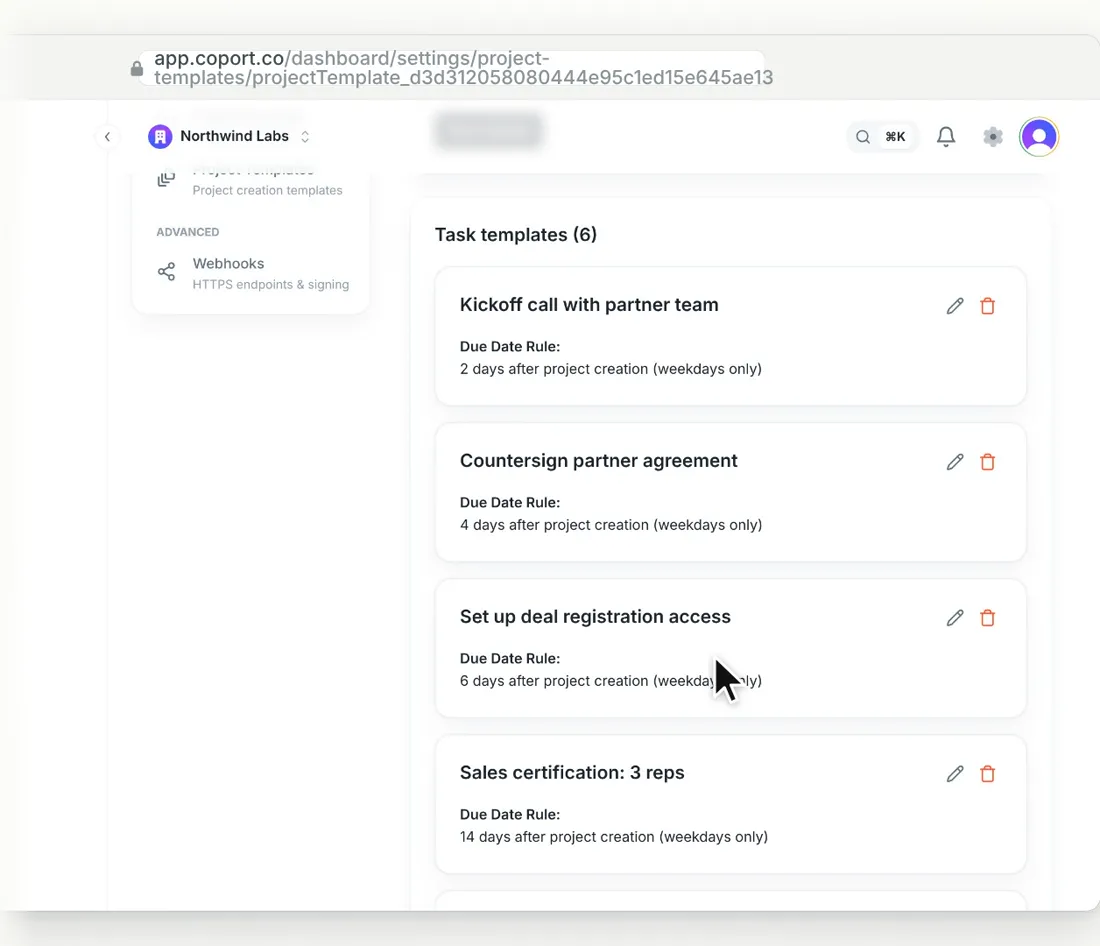
Click the template to open it. Its Task templates list shows each task with its Due Date Rule, for example "Kickoff call with partner team: 2 days after project creation (weekdays only)", "Countersign partner agreement: 4 days" and "Set up deal registration access".
3. Add a task
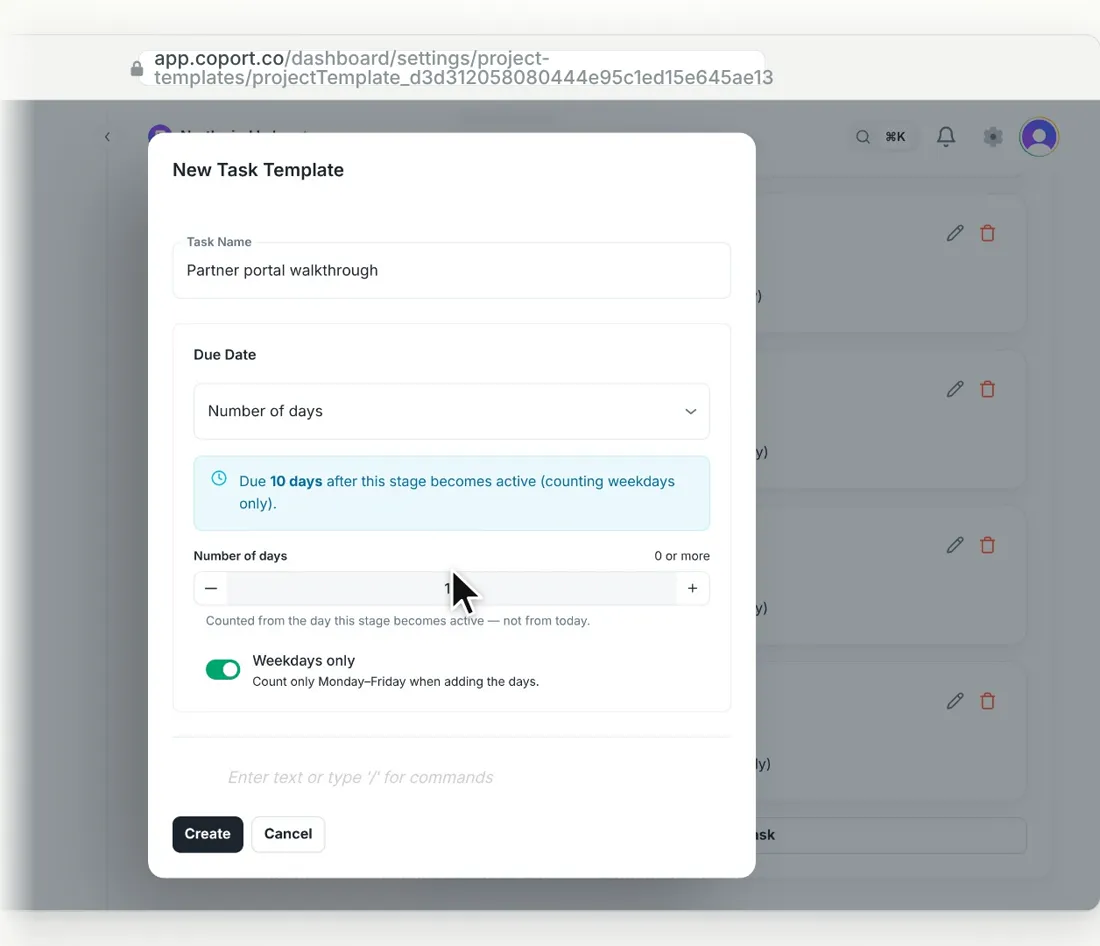
Scroll to the bottom of the task list and click Add Task. In the New Task Template dialog, enter a Task Name, then choose a Due Date type: No due date, Number of days, Number of weeks or Day of the month. Due dates are counted from the project's start. With Number of days, enter how many days; turn on Weekdays only to count Monday to Friday only. The example task is "Partner portal walkthrough", due after 10 days.
4. Save it
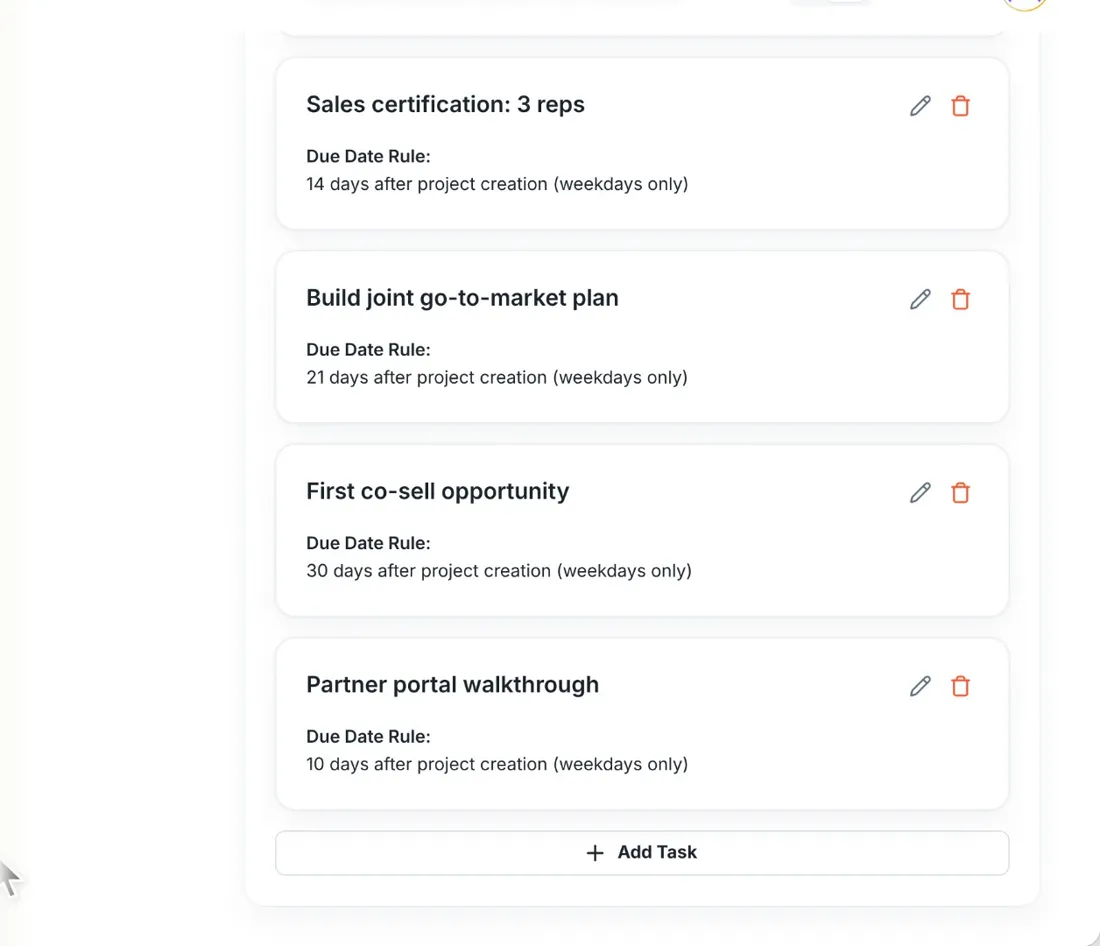
Click Create. The task is added to the template's task list, shown with its due date rule (for the example, 10 days after project creation, weekdays only).
5. Use it for every new partner
When you start a project from this template, each project gets these tasks and due dates. See Start a project from a template.
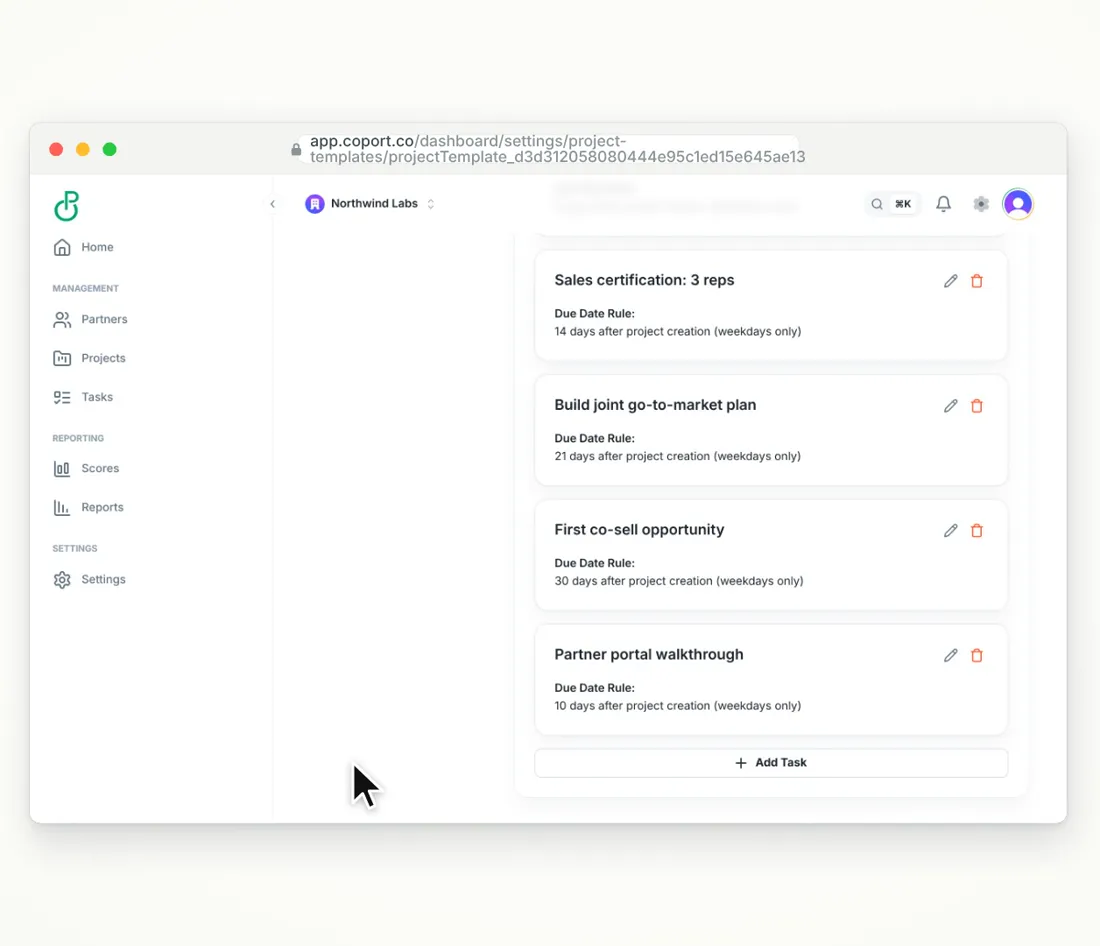
What you should see
The template's task list includes your new task with a due date rule such as "10 days after project creation (weekdays only)".
Frequently asked questions
What is a project template in CoPort?
A project template is a reusable project: a set of tasks with their timing. Projects created from it receive the tasks and due dates automatically.
How are task due dates calculated in a CoPort template?
Due dates are counted from the project's start. You can use a number of days, a number of weeks or a day of the month, and you can count weekdays only.
Where do I find project templates in CoPort?
Open Settings, then choose Project Templates in the Projects group.
Using an AI assistant? This guide is available as plain Markdown at /docs/build-an-onboarding-template.md, and every guide is indexed at /llms.txt.
Next guideAdd a partner