
How to score a partner in CoPort
Updated · 5 steps
Chapters
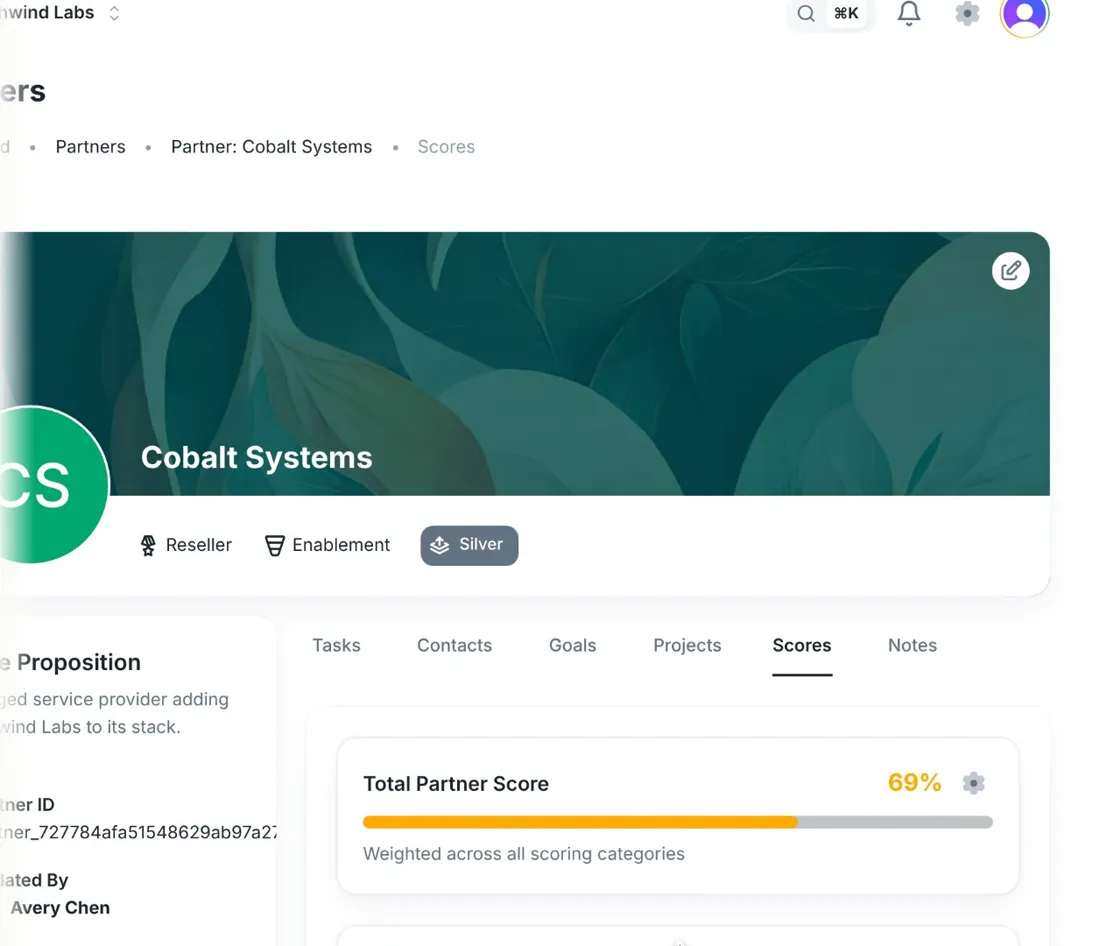
A partner score in CoPort shows how strong each partnership is. To score a partner, open its record, go to the Scores tab, rate each category (revenue, enablement and engagement each have their own points), and click Save score. The total updates, weighted by category, and the Scores page ranks every partner by the same numbers.
Before you start
- The partner exists and its partner type has scoring categories. See Set up partner types and stages.
Steps
1. Open a partner
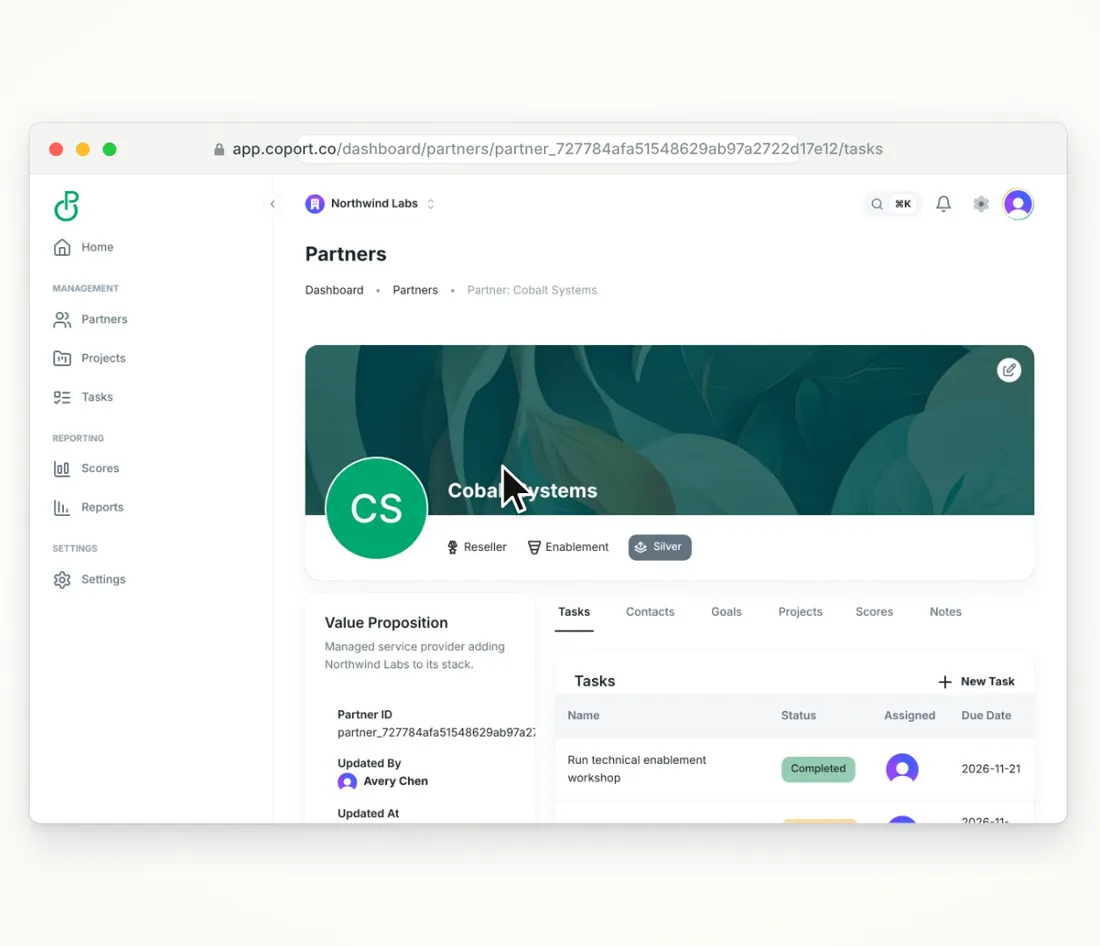
Click Partners in the left sidebar, then click a partner. The example uses Cobalt Systems.
2. Go to Scores
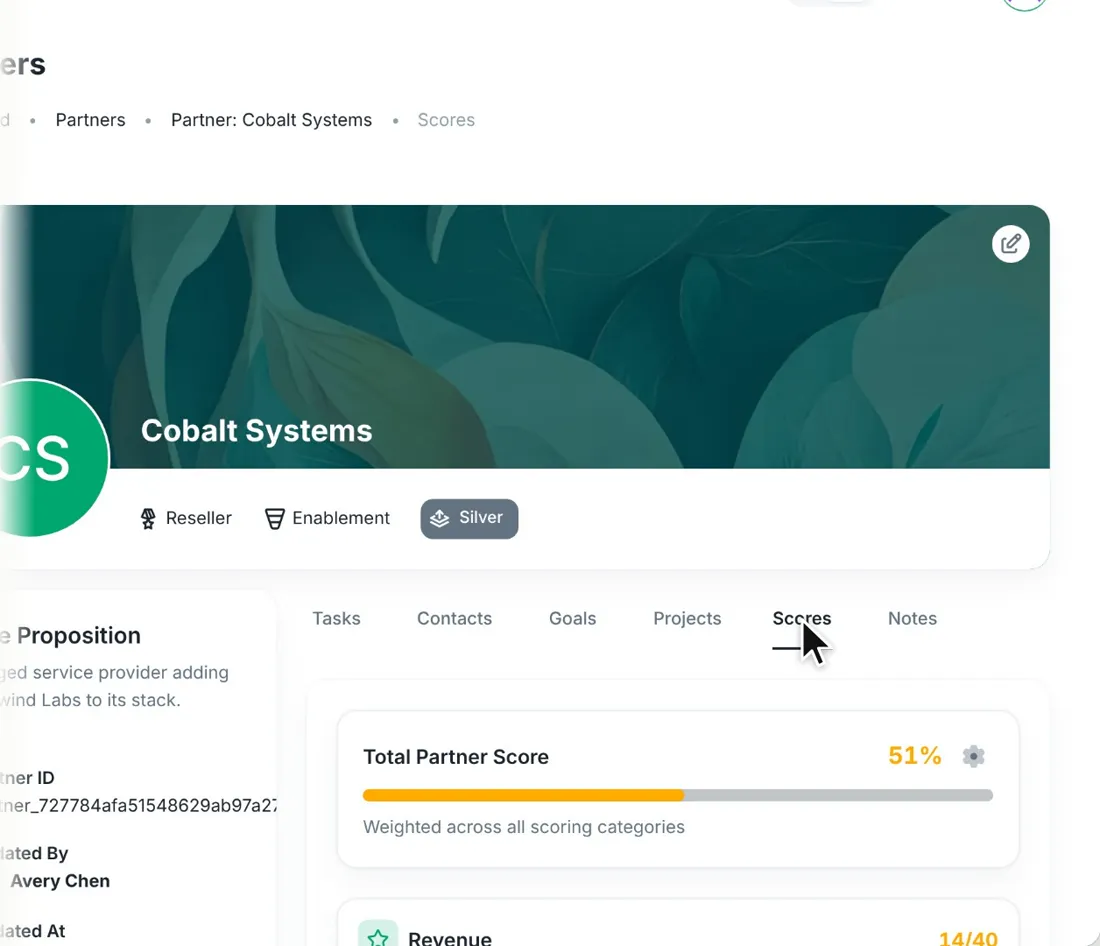
Open the Scores tab. It shows one score, Total Partner Score, built from a few categories and weighted across them.
3. Rate each category
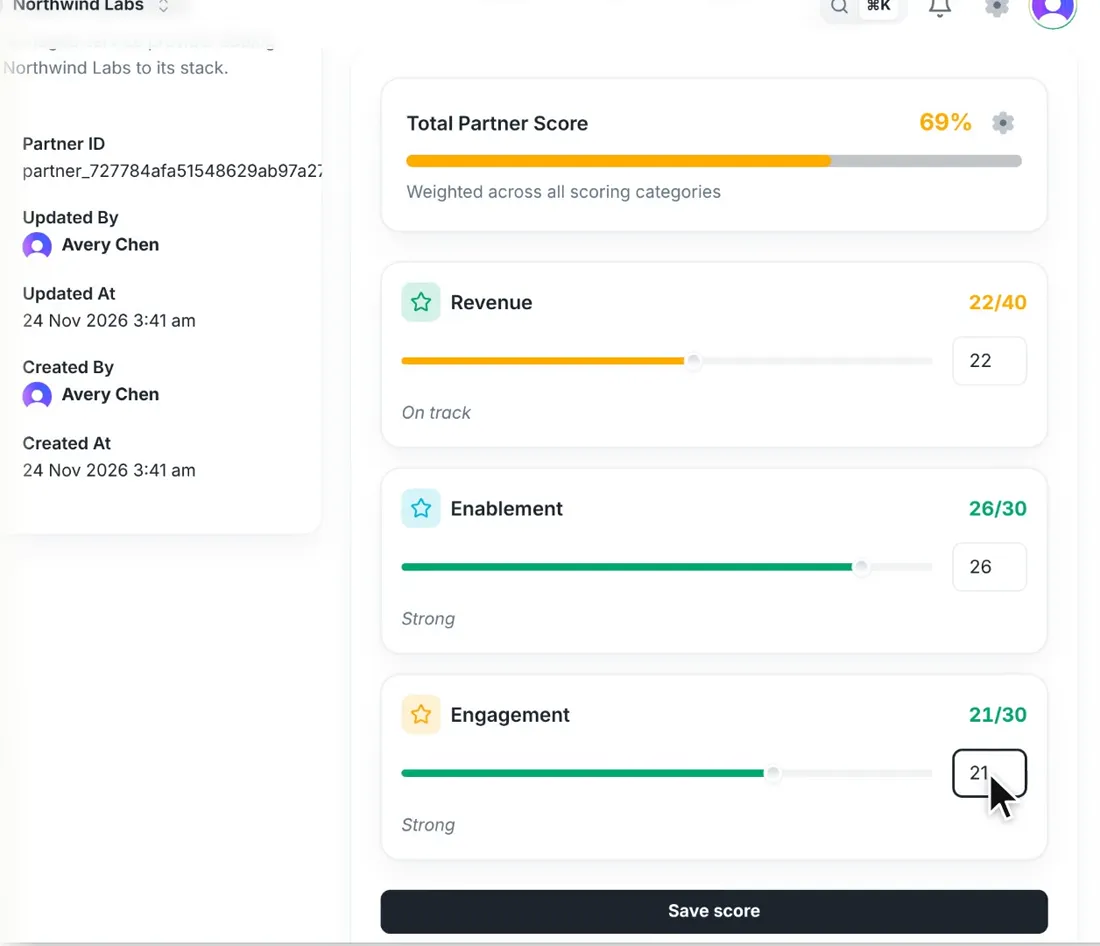
Rate each category with its slider or by typing a number. In the example, Revenue is out of 40, Enablement is out of 30 and Engagement is out of 30. Each category shows a label such as On track or Strong as you rate it.
4. Save the score
Click Save score. The Total Partner Score at the top updates, weighted by category.
5. Compare partners
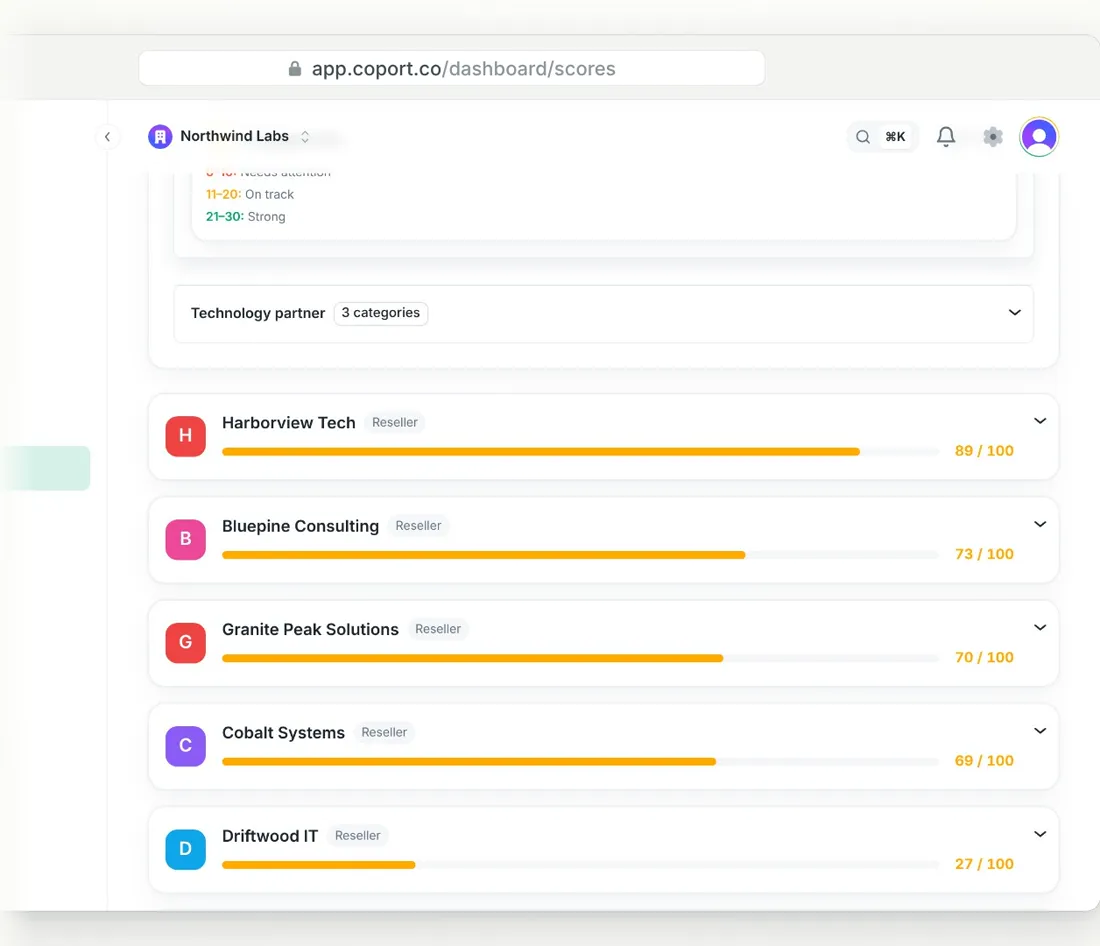
Click Scores in the left sidebar. The Scores page ranks every partner by the same numbers, so you can compare partners side by side and see your strongest ones.
What you should see
The partner's total score reflects the ratings you saved, and the partner appears in the ranked list on the Scores page.
Frequently asked questions
How is a partner's score calculated in CoPort?
The total partner score is weighted across the scoring categories, such as revenue, enablement and engagement. Each category has its own maximum points.
Where can I compare all partners' scores?
On the Scores page, opened from the left sidebar. It ranks every partner by the same numbers.
Where do I change which categories are scored?
In Settings, under Partner Program > Partner, open a partner type and choose the Scores tab. See Set up partner types and stages.
Using an AI assistant? This guide is available as plain Markdown at /docs/score-a-partner.md, and every guide is indexed at /llms.txt.